


Using Dependency Tags for Images and Links
Dependency tags are one of the most important tools in Modern Campus CMS. They ensure images and links remain accurate, portable, and resilient, especially during site migrations, restructures, and URL changes. This guide explains what dependency tags are, how to use them correctly, and why they matter.
What are Dependency Tags?
Dependency tags are dynamic placeholders the CMS uses to reference internal pages, images, and files instead of hard-coded URLs or file paths. When a dependency tag is used, Modern Campus tracks the relationship between the page and the asset it references. If that asset is moved, renamed, or its URL changes, the CMS automatically updates the reference so the link or image continues to work.
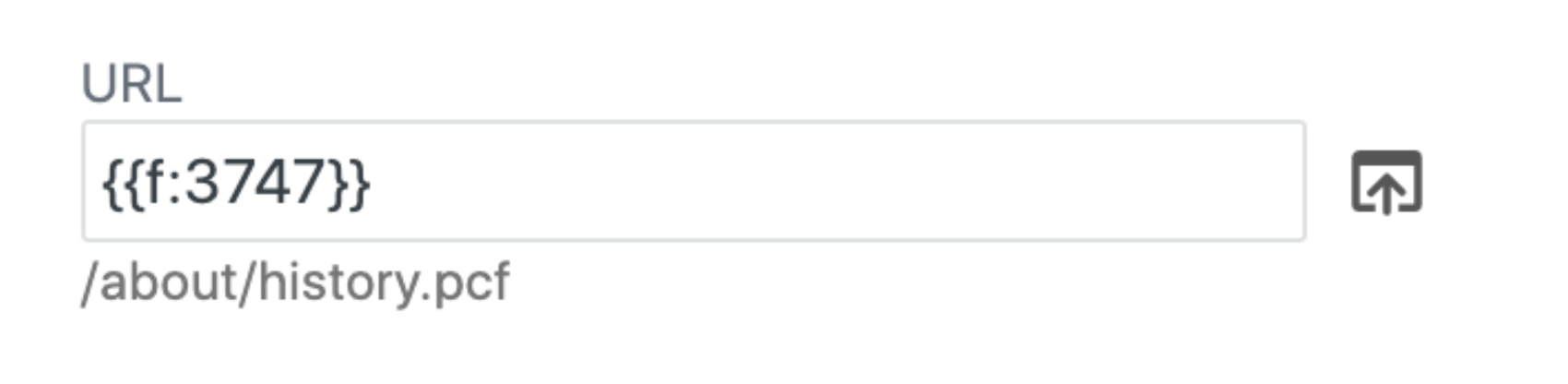
In practice, dependency tags allow content to move without breaking other content that relies on it.
Advantages of Using Dependency Tags
- Links and images stay intact when content moves because the CMS automatically updates references.
- Site migrations are safer and faster since dependency-tagged content adapts to the new environment.
- Ongoing maintenance is easier because pages are less fragile and require fewer manual fixes.
- Content governance improves because the CMS understands which pages rely on which assets.
- Accessibility and QA issues are reduced since broken links and missing images are far less common.
How to Use Dependency Tags
Dependency tags are created automatically when you use the CMS file chooser ( ). No manual tagging is required.
Images
Using the image chooser ensures the image is inserted as a dependency tag instead of a static file path.
Links to Pages or Other Files
This creates a dependency-based link that stays connected even if the destination changes.
Best Practices
- Use the file chooser for internal images, pages, and files whenever possible. This ensures links remain accurate even if content is moved or renamed and works across other sites within the CMS, including pages owned by different departments.
- For example, linking to the Registrar’s calendar through the chooser allows the link to update automatically if the Registrar’s Office changes the page location or title, preventing broken links. If you need help locating a page in another department’s directory, please let the MARCOM Web Services team know.
- Use pasted URLs only for external links.
- Check legacy content for hard-coded internal links during audits.
- Treat dependency tags as a required standard for new content, not an optional enhancement.
What Not to Do
- Do not paste full URLs for internal pages or files.
- Do not manually type directory paths such as /images/ or /commcms/.
- Do not copy internal links directly from the browser address bar.
These methods create static links that are not tracked by the CMS and are far more likely to break.
Dependency tags are foundational to a stable Modern Campus site. They protect your content from breaking during updates, support large-scale migrations, and significantly reduce long-term maintenance issues. When dependency tags are used consistently, your site becomes easier to manage, easier to audit, and far more resilient to change.