


Logging In
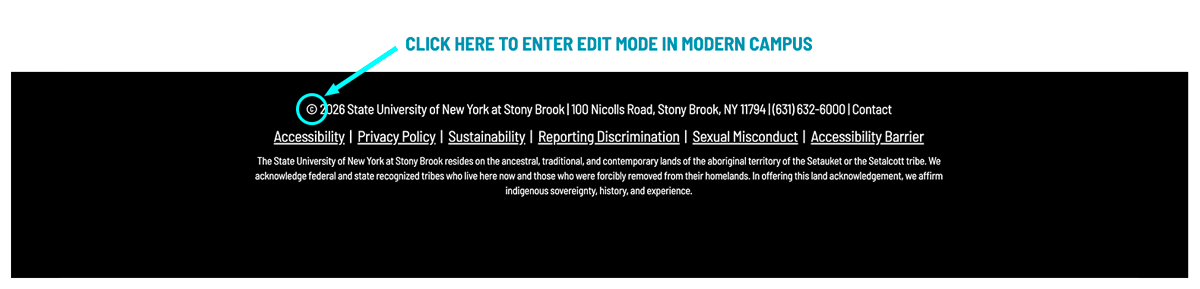
Modern Campus CMS uses NetID authentication. Click on the copyright symbol on the bottom of your site homepage or on whichever page you want to edit.
If you do not see a page after logging in, access may still be pending. Contact Web Services if you believe you should have access.
You do not need to configure templates or navigation when you first log in.