


Breadcrumbs in Modern Campus
Breadcrumbs help users understand where they are within a website and navigate back to higher-level pages. Breadcrumb behavior depends on:
- Folder settings (Section Title) for section/index pages
- Page properties (Breadcrumb Label, Show Breadcrumbs) for individual pages
How Breadcrumbs Work for Index Pages
For index.pcf pages (section landing pages), the breadcrumb label is controlled by the folder’s Section Title, not the page’s Breadcrumb Label field.
Because of this:
- The page-level Breadcrumb Label does not override the breadcrumb for index pages.
- The breadcrumb text is pulled from the folder’s Section Title (set in the wizard upon section creation or Folder Properties).
Example
Folder name: help-guides
If Section Title is blank, the breadcrumb may display help-guides instead of Help Guides.
How to Fix the index breadcrumb
- Update the folder’s Section Title to the desired display name (for example, “Help Guides”).
- Republish the index page (and any other pages where you need the updated breadcrumb to appear).
Changing Breadcrumbs for Individual Pages (Non index pages)
For non-index pages, you can customize the breadcrumb label.
If your page title is long and is displaying in the breadcrumb:
- Check the page out.
- Open Page Properties.
- Update the Breadcrumb Label field.
- Save and publish.
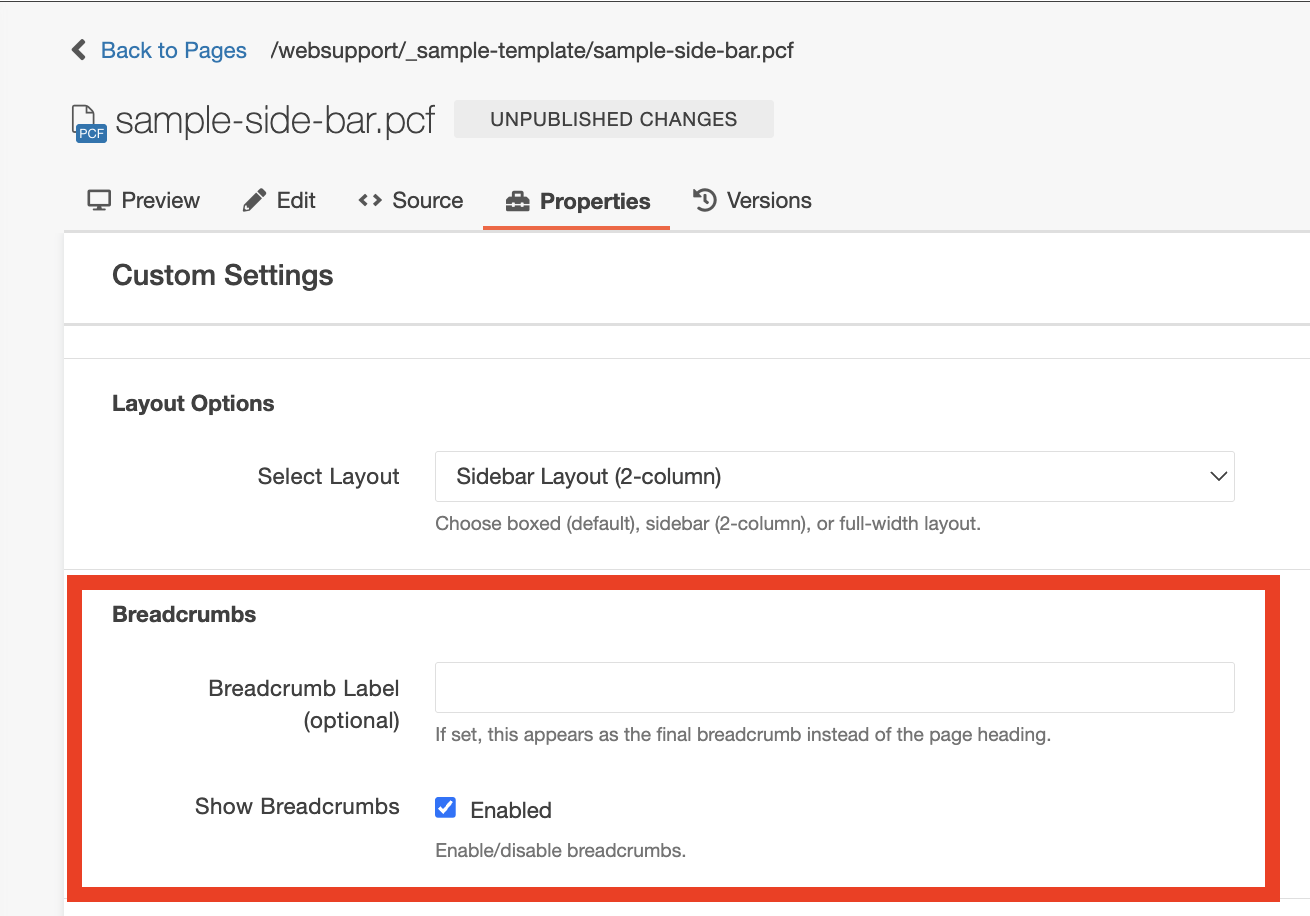
This allows you to shorten or simplify breadcrumb text without changing the page title.
Best Practices
- Always set a Section Title when creating a new folder (wizard or Folder Properties).
- Use clear, human-readable Section Titles (avoid relying on hyphenated folder names).
- Keep breadcrumb labels concise.
If breadcrumbs are not displaying as expected on an index.pcf, confirm the folder’s Section Title is set and present in the folder’s properties. Note: also check props.pcf in the folder for dept-section-heading - because they are both created at the same time from Section Title in the wizard and if it’s missing from the props.pcf it can cause issues with the sidenav.